首先想要使用华为荣耀6双4G的同学,请记住联通版支持 B1 B3 B41频段的 TD 及FDD网络,其中B3包含了中国移动TD B39频道,所以,部分中国移动使用B39频段的地区是可以连接上移动4G的,并且仅支持B39频段的移动4G,至于移动的3G那就更别想了。
此方法仅开启联通版卡一卡二 主副卡智能互换功能,并未对频段进行修改,所以想完美全网通的可以洗洗睡了。
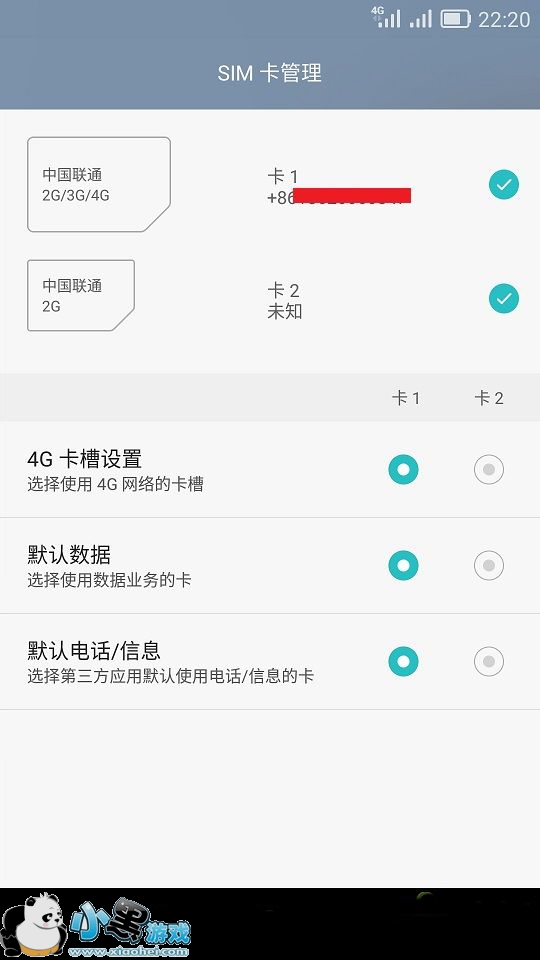
方法首先保证手机已经ROOT。(正确的ROOT不影响OTA,OTA仅校验升级所要修改的文件)
手机端使用RE管理器 长按 以文本方式编辑 修改cust/unicomelectric/cn/prop 目录下local.prop文件。(PS:电脑上用文本编辑软件修改既可)
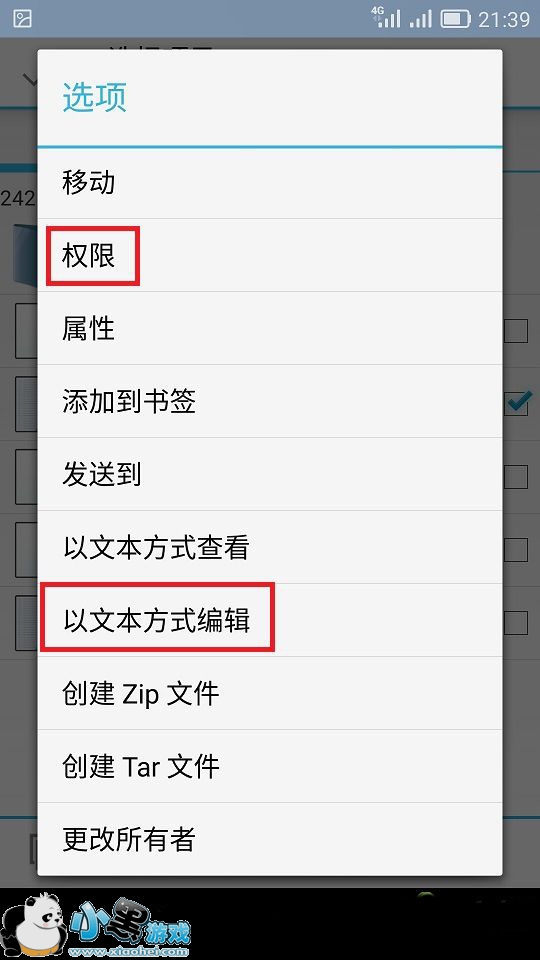
修改
ro.modem.type=sprd
为
ro.modem.type=6260
persist.sys.dualcards=true
将修改好的文件替换原文件,重启既可。注意文件权限
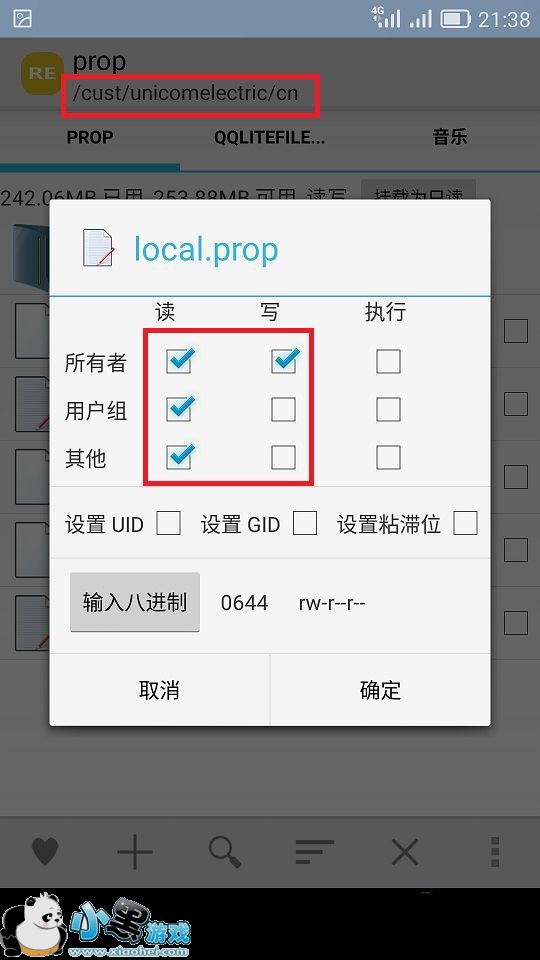
记得备份原文件,方便OTA升级。
EMUI 2.3或者联通高配版如果仅修改上面代码无效,则可以考虑把下面代码全部添加试试。(PS:请确认按照上述方法修改无误仍无效的后再添加)如无效,请检查自己操作是否正确。以下代码仅供EMUI2.3及高配版参考
ro.config.agps_server_setting=true
ro.config.disable_tapandpay=true
ro.config.balongTD_mms_test=true
ro.product.cuptsm=HUAWEI|ESE|01|02
ro.config.customized_mms_retry=1,1,10
ro.config.no_mms_fail_toast=true
ro.config.show_mms_storage=true
ro.config.sms_set_cmms=true
ro.config.hw_ReduceSAR=true
ro.config.hw_RemindWifiToPdp=true
ro.config.hw_record_gps_info=true
ro.config.hw_nlp=com.amap.android.location
show_preferred_network_mode=true
network_mode_CMCC_test=true
ro.config.hw_sglte=true
ro.config.hw_sglte.mcc=460,001
ro.config.dsda_single_rild=false
ro.config.operators=CMCC
ro.config.hw_showName=true
ro.config.hw_stkNameDispMode=3
ro.config.hw_sglte_simblist=46000,46001,46002,46003,46007,46008,46009,46011
ro.hw_sglte_shareantenna=true
ro.lte_gsm_shareantenna=true
ro.config.addAct=true
ro.config.forbid_internal_call=true
hw.net.tcp.buffersize.default=4096,87380,110208,4096,16384,35040
persist.radio.svlte_psshock=600,4,1200
ro.hwcamera.sound.muteable=true
ro.config.spare_ntp_server=pool.ntp.org
persist.sys.dualcards=true
ro.config.hw_dts=true
ro.config.hw_nxp_eeapi=true
ro.config.emergencycall_show=true
hw.npm.asyncntp=true
ro.systemui.debug=true
hw.ni.nontds=true
hw.ni.nontdsapplist=com.qq.qcloud,com.eg.android.AlipayGphone
gsm.fastdormancy.mode=3
ro.config.hw_mirror_chip_v9r1=6
ro.networkstatus.delay=3
ro.config.spare_ntp_server=ntp.sjtu.edu.cn,time.windows.com,time.nist.gov,1.cn.pool.ntp.org
ro.config.reduceSARoperators=01000
另外修改
ro.config.hw_ReduceSAR=false
ro.config.hw_sim2airplane=true
为
ro.config.hw_ReduceSAR=true
ro.config.hw_sim2airplane=false
小编点评:
华为荣耀6开启双4G的教程就是如此的简单,买个手机能玩出很多新花样也是机友们所希望看到的事情。最后小编就不多说什么,反正双卡功能不能浪费,双4G必须开启妥妥的。




 电脑远程控制
 值得借
值得借 意向通手机版
 一元夺装
一元夺装 农机帮
农机帮 房大仙
房大仙